Art Museum App
Discover & Book Cultural Experiences — Mobile App
Discovering great cultural experiences shouldn't require navigating five different platforms. This app brings exhibition discovery and ticket booking into one seamless, calendar-driven flow — so users can go from browsing to booked in minutes.
The Problem
Discovering cultural events usually means juggling multiple websites, social media pages, and booking platforms — with no single place to get a clear picture of what's on and when.
And even when users find something they're interested in, the booking process often feels disconnected from discovery, adding unnecessary friction at exactly the wrong moment.
I wanted to explore how a single app could unite discovery and booking into one smooth experience — making it effortless to go from curious to committed.
The User
The primary user is someone who loves art and cultural experiences but doesn't always have the time or patience for a complicated planning process.
They might be casually browsing for weekend inspiration, or actively planning a visit around a specific exhibition. Either way, they need a clear view of what's available and a frictionless path to booking.
Their main goal: find something worth going to and secure their spot — without unnecessary steps.
The Solution
I designed a mobile app that unifies discovery, planning, and booking into a single, cohesive flow.
Users can browse exhibitions and events, dive into the details, and book directly through a calendar-based interface — all without switching context.
The focus was on reducing the distance between curiosity and commitment, making the experience feel intuitive, not transactional.
Key Concept - Calendar-Based Booking
The central design idea was to make booking a natural part of discovery, not an afterthought.
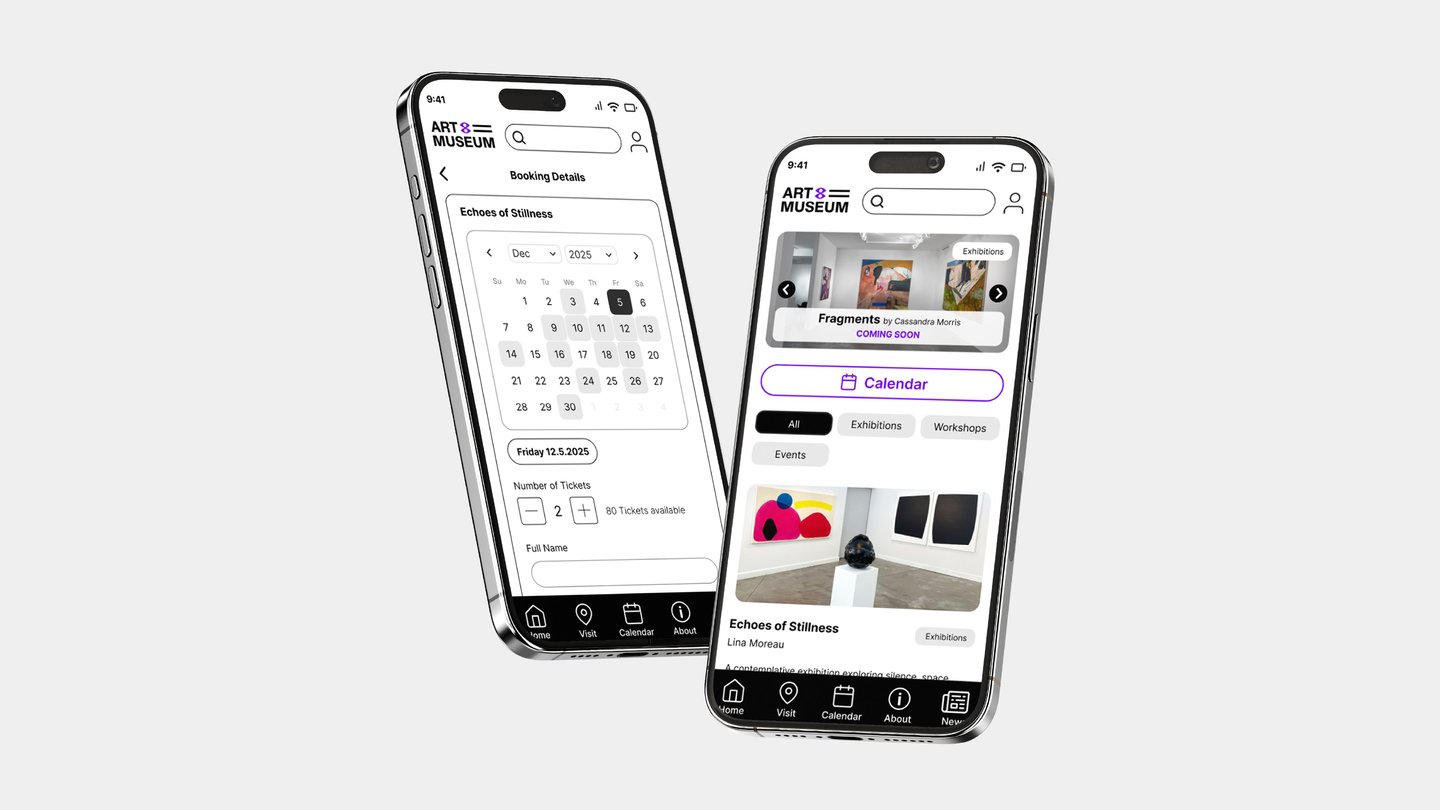
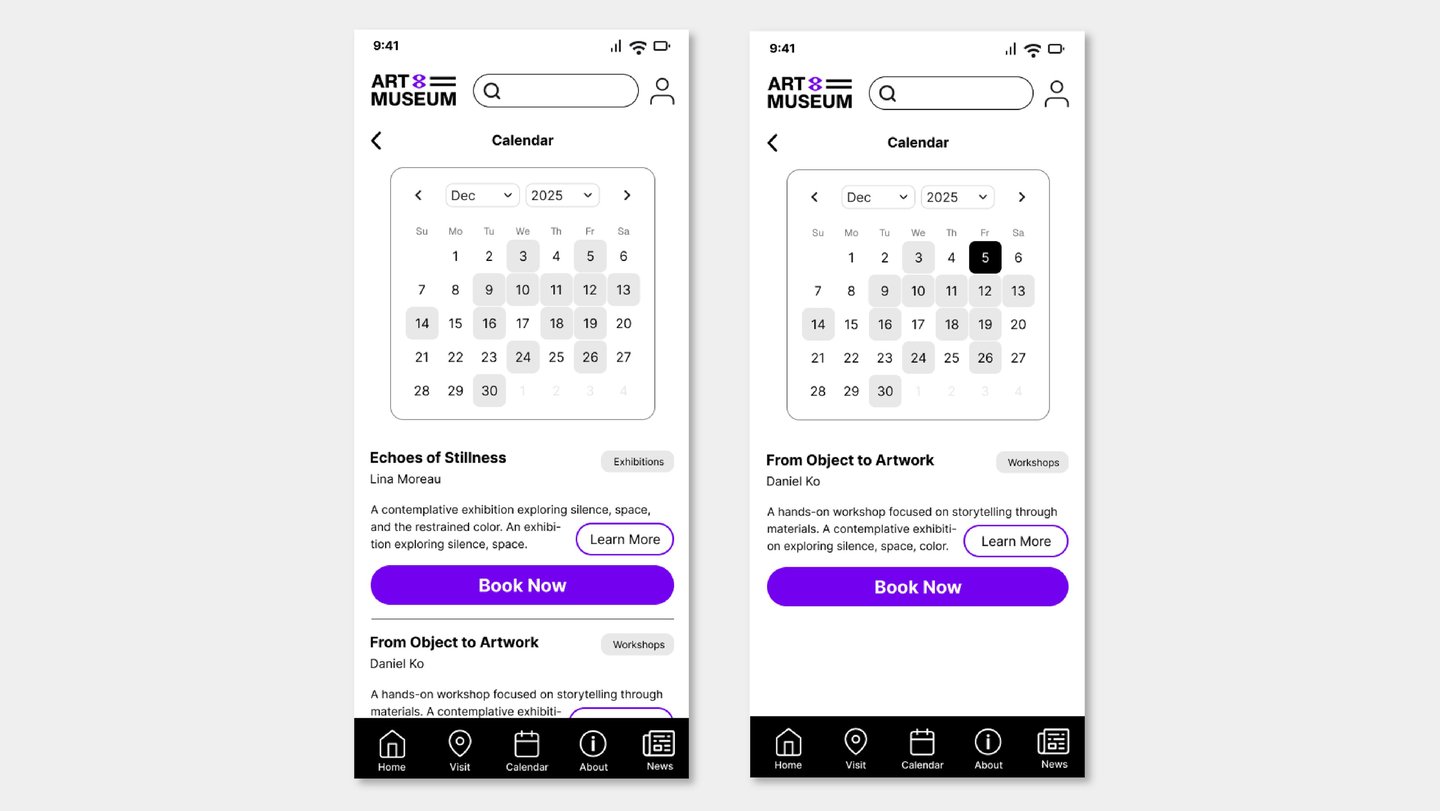
By integrating a calendar directly into the event experience, users can see availability and choose a date in context — without being redirected to a separate booking flow.
This turns the key question from "How do I book this?" into "When do I want to go?"
Homepage & Discovery
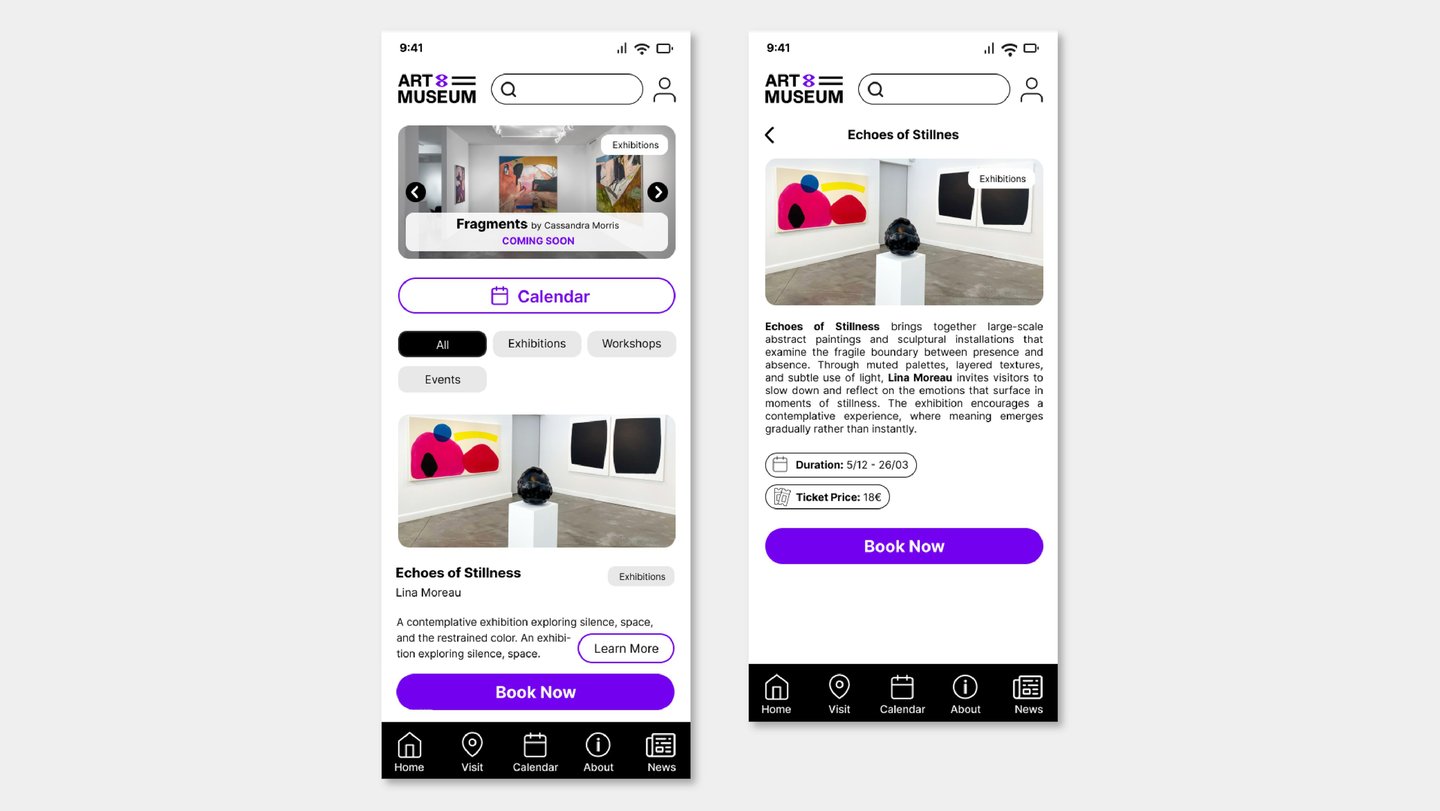
The home screen surfaces current exhibitions, workshops, and events at a glance. Filters and categories help users zero in on what interests them, while featured sections draw attention to upcoming highlights.
Explore the live prototype here
Calendar
A date-first view of everything happening at the museum — making it easy to plan ahead and spot what's on during a specific window. Booking is always one tap away.
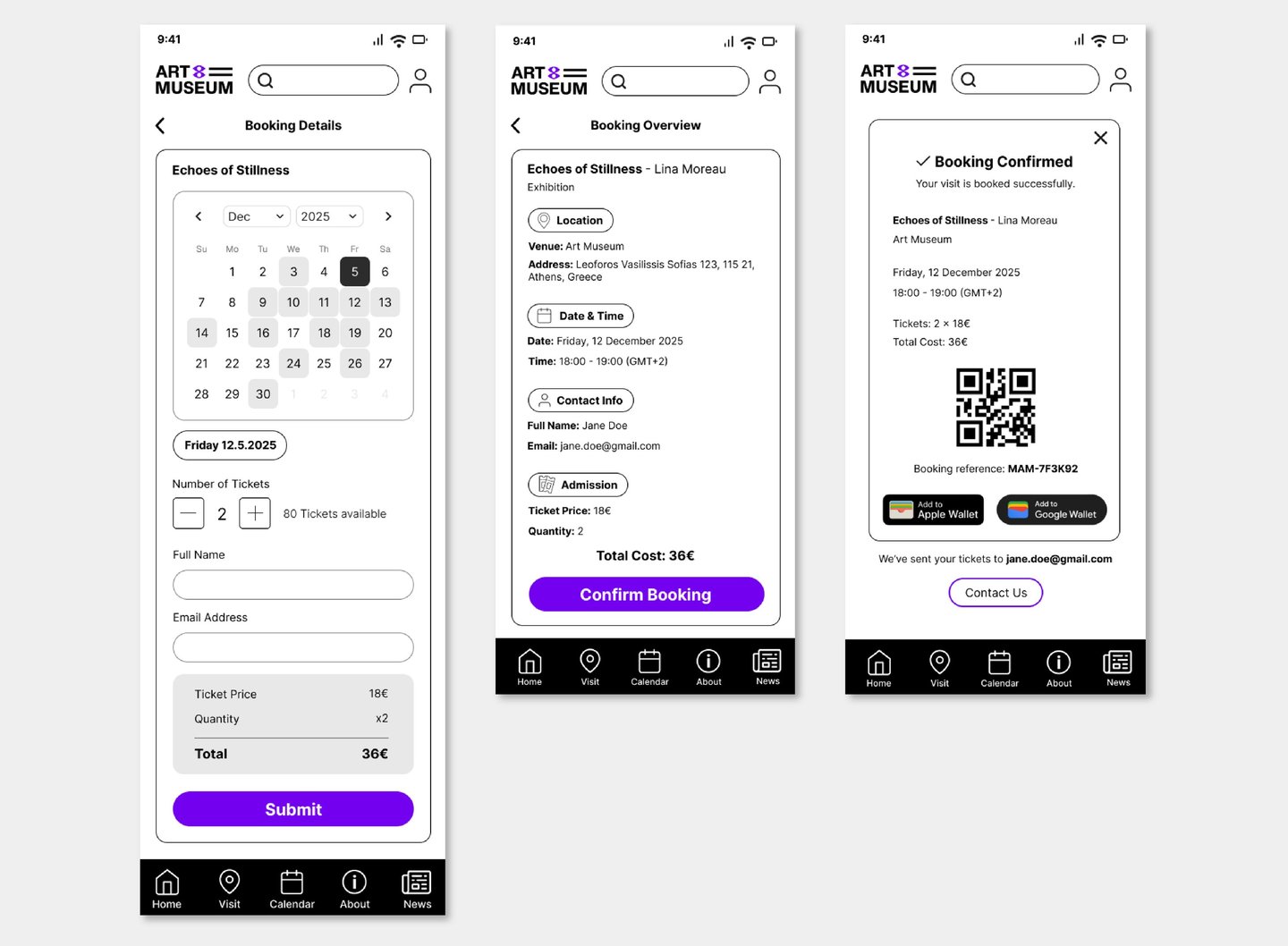
Booking Flow
A clean, step-by-step process: pick a date, choose your tickets, review and confirm. Structured to minimize friction while giving users full confidence in what they're booking.
Profile Management
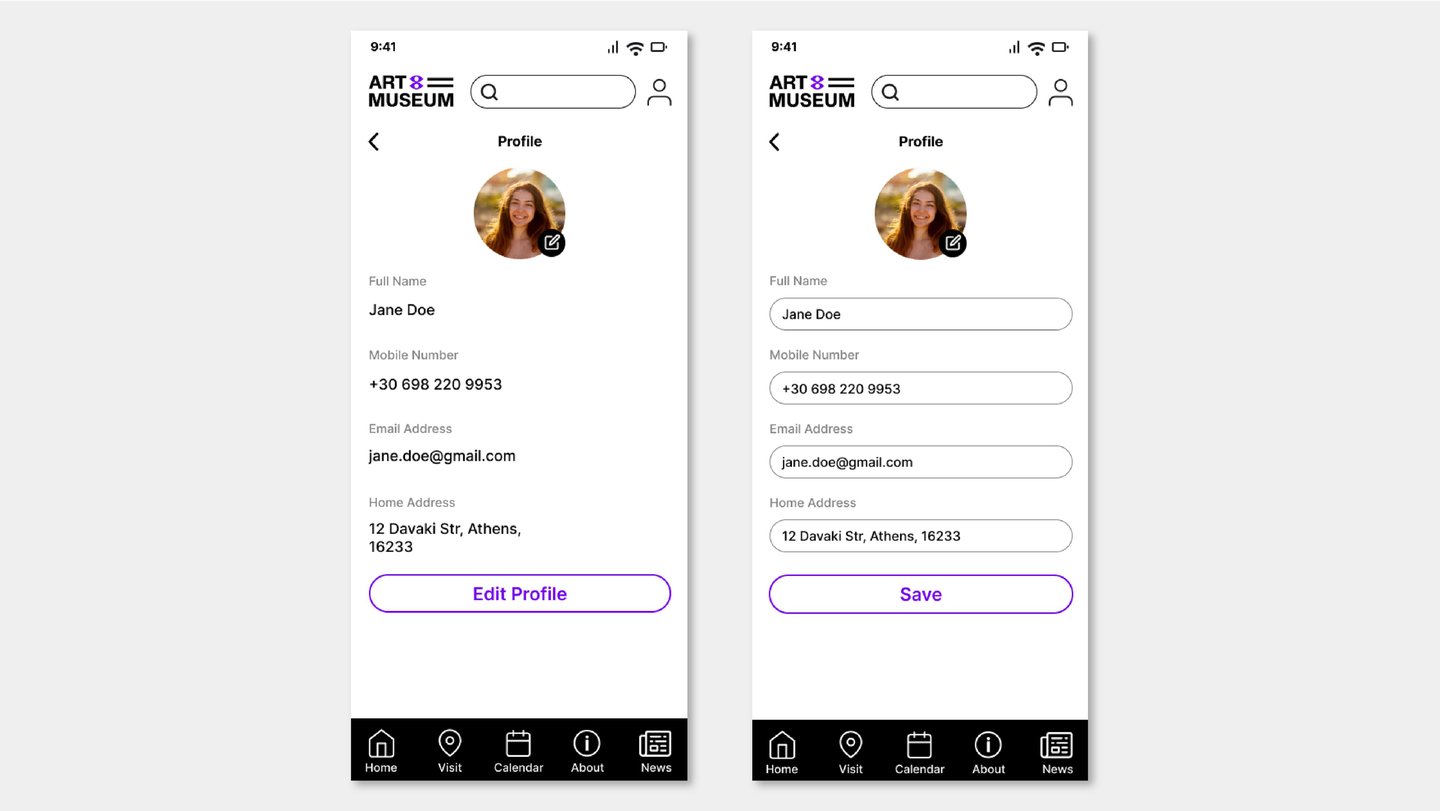
Simple and minimal — users can view and update their personal information without unnecessary steps or screens.
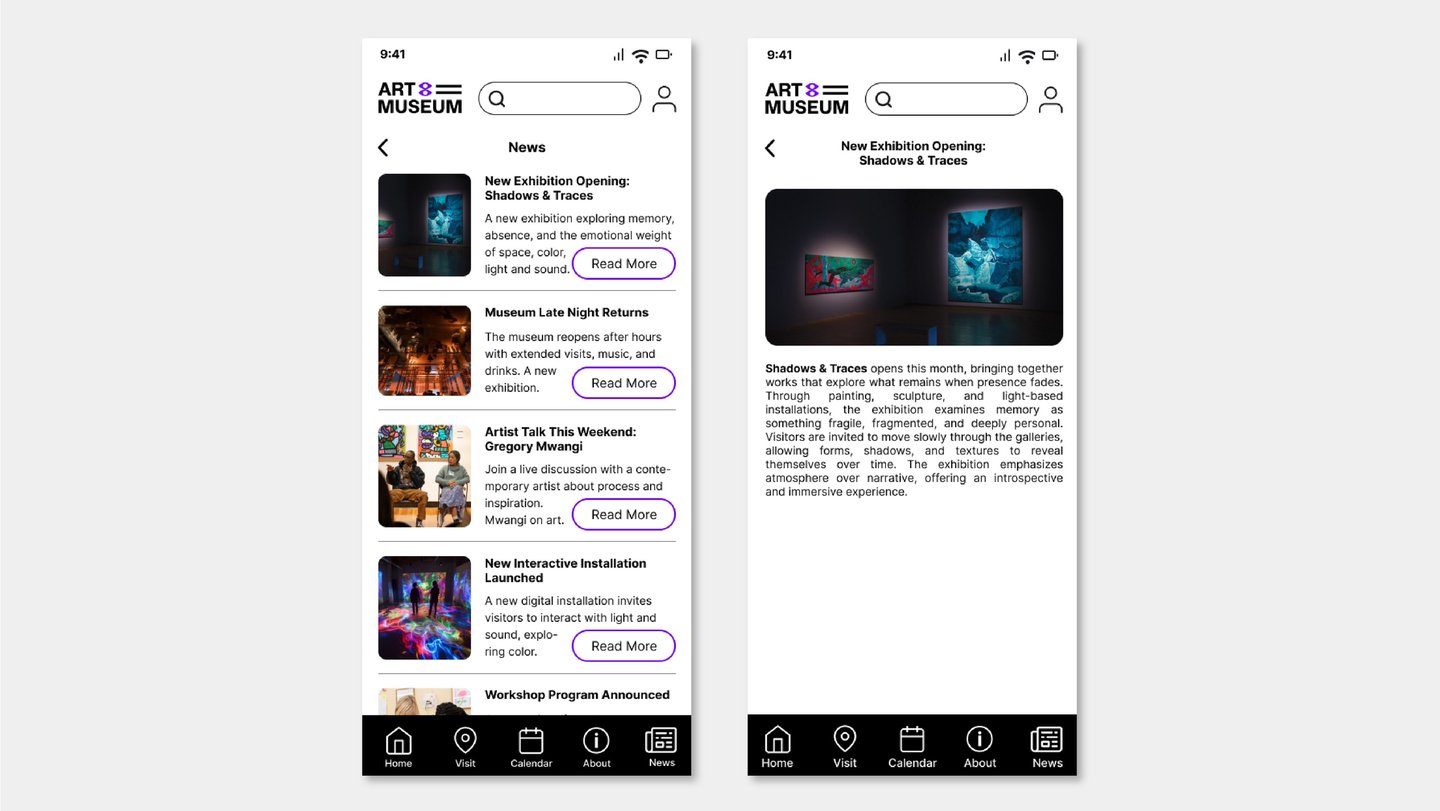
News & Updates
Keeps users connected to the museum beyond a single visit — new exhibitions, events, and announcements that give them a reason to come back.
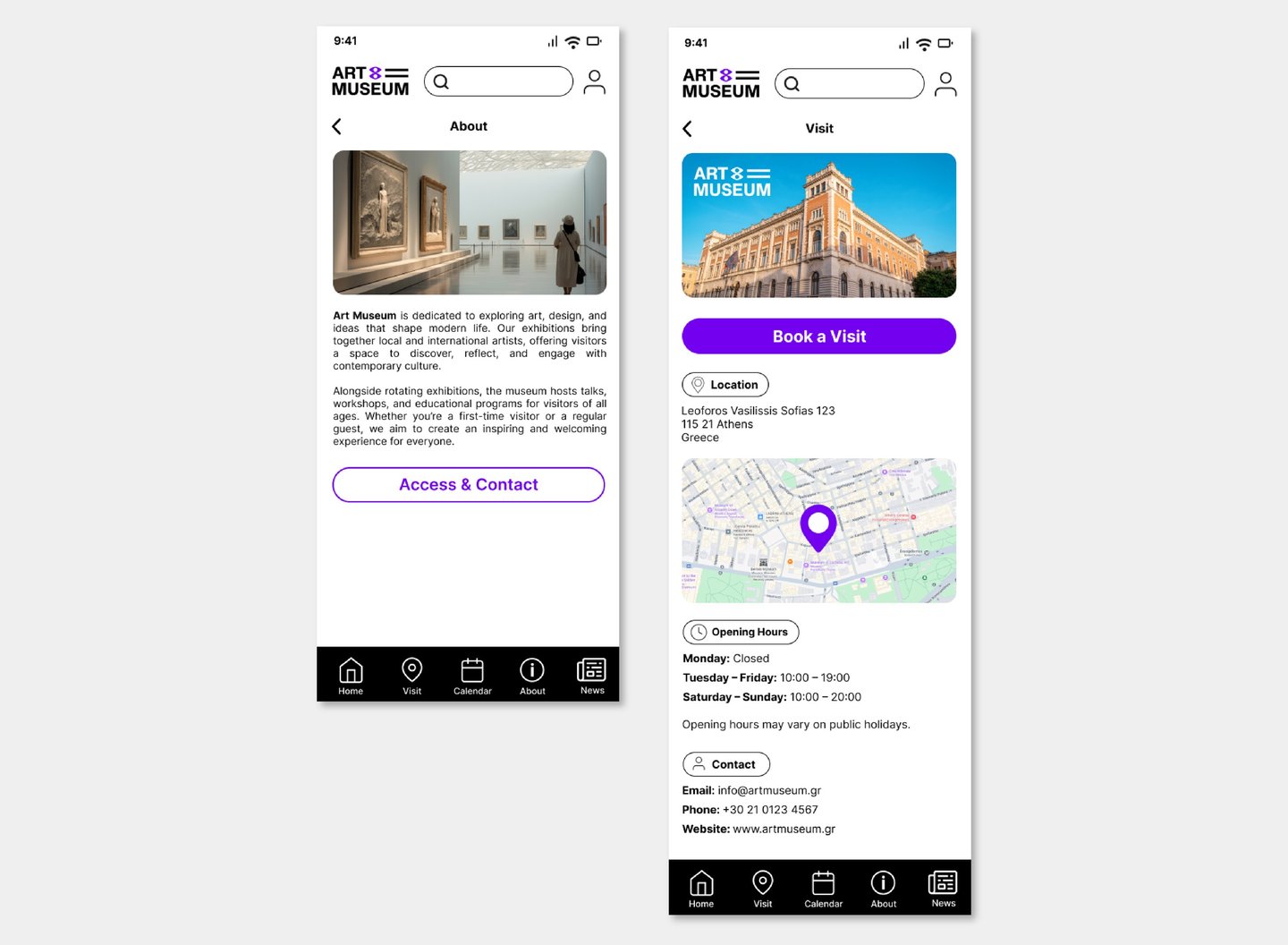
About & Visit Information
Context on the museum's identity and mission, plus the practical details users need: location, opening hours, and directions. Everything needed to plan a real-world visit, in one place.
Reflection
This project helped me focus on designing a clear and intuitive user flow in a consumer-facing app.
One of the main challenges was balancing exploration with action — allowing users to browse content without overwhelming them, while still making booking easily accessible.
It reinforced the importance of structuring flows around user intent and creating smooth transitions between discovery and decision-making.
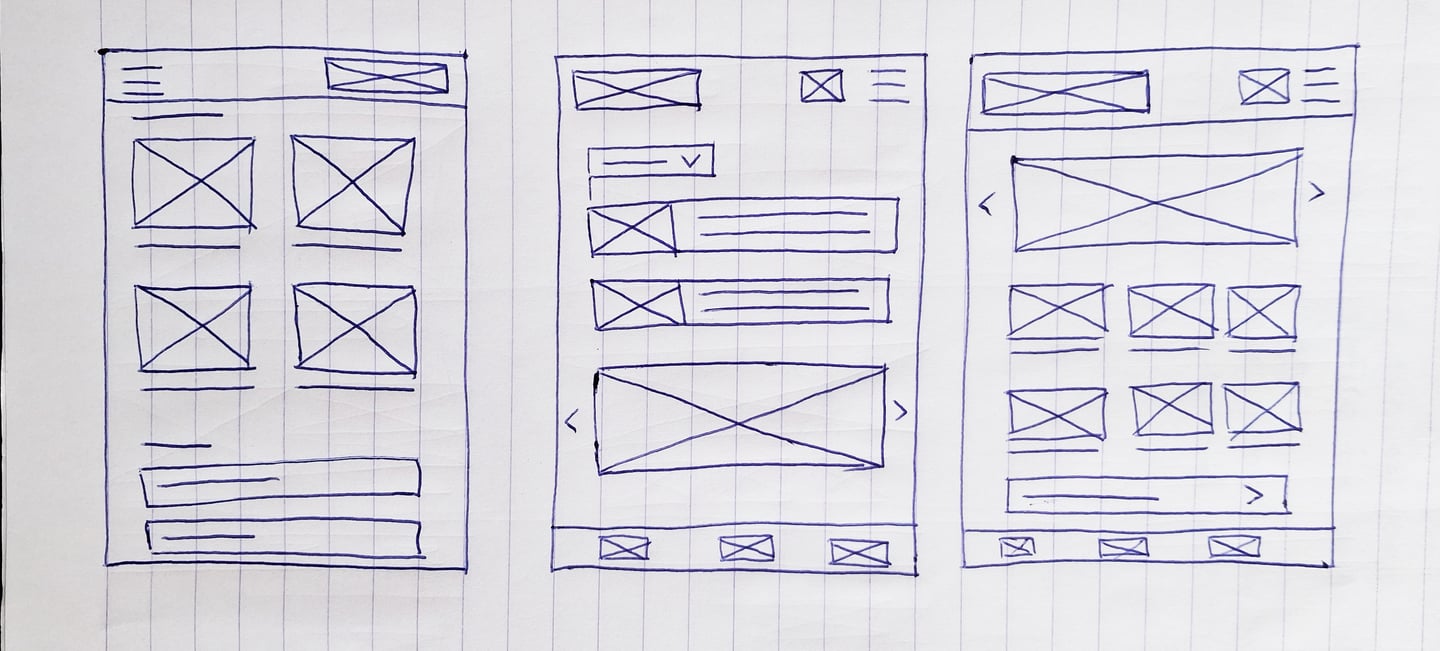
From Structure to Interface
Early wireframes mapped the full journey from discovery to booking, focusing on flow and hierarchy before any visual decisions were made. The goal was to ensure every transition felt purposeful.
User Journey
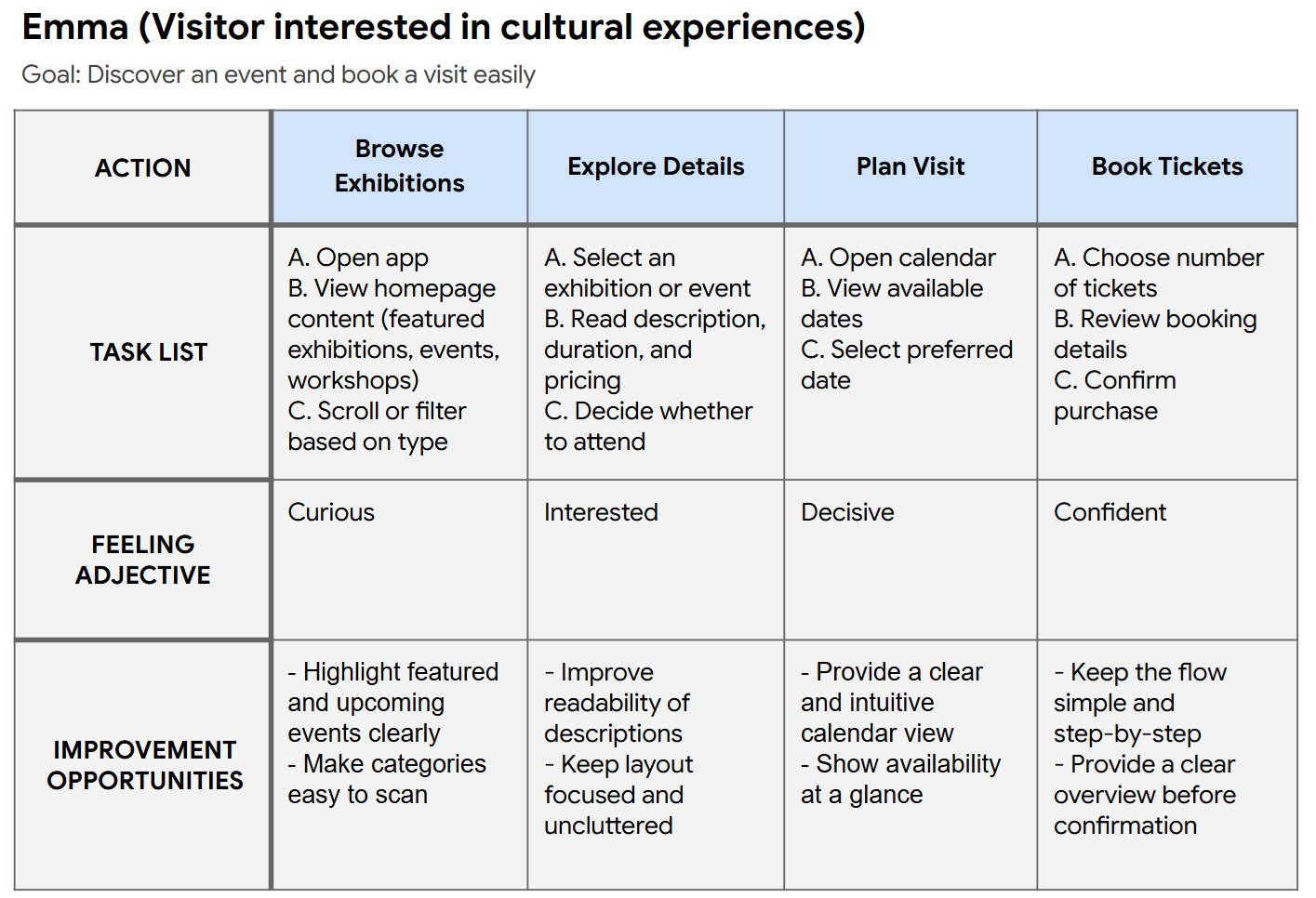
This journey follows a user from their first encounter with an exhibition to a confirmed booking — tracing the emotional and functional steps along the way.
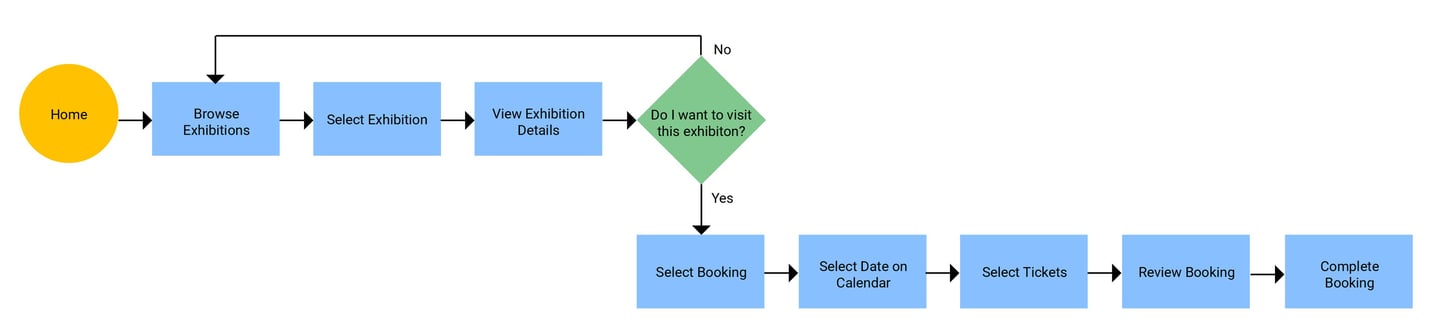
User Flow
A structured map of how users move from selecting an exhibition to completing their booking, showing each decision point and screen transition in the process.